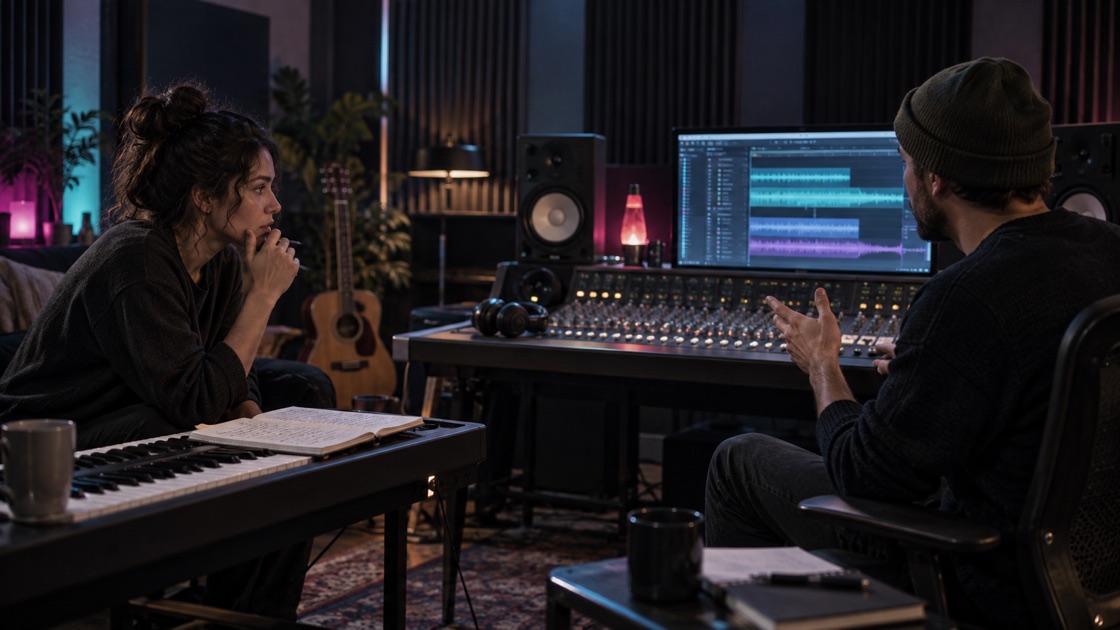
A singer and producer reworking an original song in a studio

AI COVER SONG

AI Cover Song Generator for Music You Own

Use this AI cover song generator with music you own or may transform, then direct a new arrangement, vocal character, and overall mood.

Open the studio

Use the AI cover song generator to choose a new style.

Cover Song
Model

Choose an audio source

Upload your MP3 or choose from your private Library.

Set the new performance direction

Start in Simple, or use Custom for more control.

Shows only the controls required for this task.

Confirm and start

Confirm your audio rights and review the credits before submitting.

Generate 2 complete versions75 credits total for this request

REWORK THE PERFORMANCE

Direct a new arrangement from audio you may transform

01

Use the AI cover song generator to change the arrangement

Move a song you own toward a different genre, tempo feel or production palette. The source supplies the musical starting point while your direction explains the new arrangement you want to hear.

02

Guide the performance

Use vocal direction and lyrics you may process when the new version needs a particular delivery. Describe musical characteristics rather than asking the tool to impersonate a named person.

03

Compare A and B

Every successful task includes two private cover versions. Listen for the treatment of the melody, lyrics, arrangement and vocal direction before choosing a download or continuing the stronger result.

A NEW ARRANGEMENT TO REVIEW

Direct the change, then compare the full performance

01

Direct a new arrangement without asking for an identity

Describe the target genre, tempo feel, instrumentation, energy and vocal character. The source supplies the musical starting point; your brief explains what should change.

  • Name the melody or section that should stay recognizable
  • Use audible characteristics instead of a celebrity name
  • Keep authorized lyrics separate from the arrangement direction
Independent musician recording a new arrangement of an authorized song
02

Review the whole new performance before choosing

A promising opening can still drift later. Compare both versions at the vocal entrance, central motif, transition and ending before downloading or paying for another task.

  • One successful request includes two private cover versions
  • Melody, timing, instrumentation and vocal treatment can vary
  • Keep the original master outside the service
Independent music creators comparing a newly arranged song in a recording studio

COVER INPUTS AND RIGHTS

What the cover path accepts and what stays private

Input

Upload an MP3 you own or may transform, or select a compatible private Library item. Describe the new genre, arrangement, energy and vocal direction. Custom mode may also use a title and lyrics you are authorized to provide.

Output

A successful task returns two private MP3 reinterpretations for separate playback and download. They are generated versions to compare, not a promise that every melody, word, instrument or performance detail will remain unchanged.

Privacy

Private source files remain for 30 days and free private cover results for 90 days. Public or paid results are retained long term. The page does not expose private object keys or publish a result without your choice.

Keep the brief focused and authorized

Decide what should change and what should remain recognizable

A focused brief names both sides of the decision: the new arrangement and the melody, lyric, section or emotional arc that matters most. If everything may change, Generate is usually a clearer starting point.

Use only music and lyrics you may transform

The generator cannot grant rights to another recording, composition, lyrics, voice or identity. A generated result does not remove the need to confirm the source and intended use.

Judge both results at the same musical moments

Compare the main entrance, chorus or central motif, transition and ending in A and B. Use the same checkpoints so an impressive opening does not hide drift later in the performance.

CHOOSE THE SCALE OF CHANGE

Cover Song, Add Tracks or Generate?

Cover SongChange the overall style, arrangement and performance.
Add TracksUse the current audio as a reference and focus the generation on one missing layer; other parts may still change.
AI Music GeneratorStart from a written idea instead of source audio.

FAQ

Questions about creating an authorized cover

What is an AI cover in this tool?

It is a new performance and arrangement guided by audio you are authorized to use. You describe the target style, instruments, energy and optional vocal direction, then the generator returns two private results to compare. It is not a public celebrity voice clone or permission to reuse someone else's recording.

Can I name a real artist?

Do not request a real person or protected identity. Describe audible characteristics instead, such as sparse piano, brushed drums, a lower register, restrained phrasing or a wide electronic chorus. The page is designed for a new treatment of material you may use, not impersonation.

Do I keep the original lyrics?

Custom mode can use lyrics you are authorized to provide. Put the words in the Lyrics field and keep the style and performance request in the direction. Instrumental mode does not request a new vocal performance. The model may still vary phrasing, timing or arrangement.

How many cover versions are included?

One successful task includes A and B versions under one displayed credit cost. The generator may vary their arrangement, pacing and vocal treatment. Play both through the section that matters before downloading either version or creating another task.

Will the cover preserve the melody and voice exactly?

No exact preservation is promised. The source guides a new AI performance, so melody, timing, instrumentation, lyrics delivery and vocal character can vary. Keep your original master and judge both returned versions against the specific parts you wanted to retain.